
Most SaaS teams have stopped asking whether to add AI. The real question is how to do it without a months-long rebuild, a runaway API bill, or a feature that demos well and then goes unused, as SoftiCation Technology notes in its practical guide. QUANT LAB USA makes the same point: most "add AI" roadmap items produce a demo that never reaches general availability.
So, How do I know if my SaaS codebase is ready to add AI features? Short answer: your SaaS codebase is ready for AI when your data is reachable, your AI logic can live in its own layer, your security model extends to a new input surface, and your team can measure quality and cost after launch. Picking a model is the easy part.
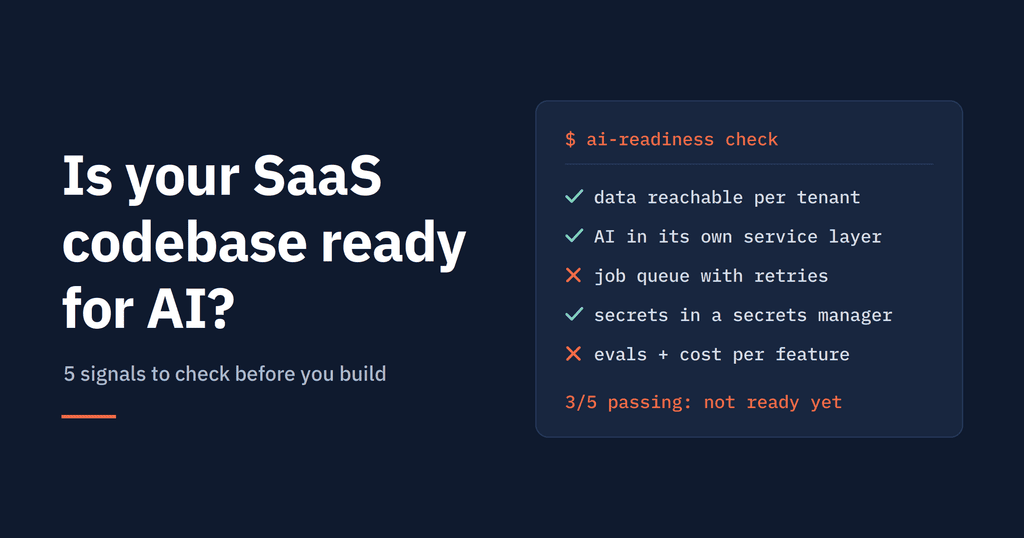
The gap between demo and production is almost always in the codebase around the model. Below are the five signals that tell you which side of that gap you are on, plus a checklist you can run in an afternoon.
"Adding AI" covers very different engineering problems: generating content, answering questions from your own data, classifying records, predicting outcomes, and automating multi-step workflows. SoftiCation warns that the most common mistake is choosing a technology before choosing which of these problems you are solving.
So the first readiness test is not technical. Can you point to a narrow, measurable problem your users already complain about, such as repetitive tagging, search that fails to surface existing records, or summaries people write by hand? And is the data behind that task accessible through a clean query or API, rather than scattered across legacy tables and exports?
You are ready here if:
QUANT LAB USA suggests scoring candidate features on two axes, value to the user and tolerance for error, and starting where both are high. Summarization, drafting, extraction, and semantic search usually land there.
Want a definitive answer for your own codebase? Our Modernisation & AI Roadmap Sprint delivers it in one fixed-price engagement: a codebase review, a cipher migration estimate, an AI opportunity map, and a team plan. Request your Modernisation & AI Roadmap.
AI features should sit in their own service layer. If model calls end up scattered through controllers and jobs, swapping providers or models later becomes painful. That advice appears in SoftiCation's guide, which also recommends caching repeated requests and building fallbacks so core features keep working when a model call fails or times out.
Three architectural traits make this easy:
If your platform is a tightly coupled monolith with synchronous request handling only, that does not block AI. It does mean the first sprint should carve out an AI service boundary and a job queue before any feature work.
An AI feature inherits every security obligation your app has and adds new ones. QUANT LAB USA describes the model as a new input surface that is highly persuadable, and names four main risks: prompt injection, cross-tenant data leakage through an unscoped retrieval index, over-permissioned tool calling, and sending sensitive data to a third-party model without a data-processing agreement.
Your codebase is in good shape if:
While you are reviewing data flows, it is worth inventorying your cryptography too. Many teams now plan AI work and post-quantum cipher migration together, since both require a clear map of where sensitive data moves.
Halfway check: If signals 1–3 already raised doubts about your data, architecture, or security, the sprint's codebase review is designed to resolve exactly those questions, before you commit budget to a feature. Book a Modernisation & AI Roadmap Sprint.
Tokens are a cost of goods sold, and AI spend scales with usage in ways server costs do not. QUANT LAB USA recommends instrumenting cost per request and cost per active user before scaling, then using caching, routing easy requests to smaller models, and per-tenant quotas.
Quality needs the same rigor. A fast feature that gives wrong answers is worse than a slightly slower reliable one, SoftiCation argues. That means an evaluation set of real inputs with known-good outputs, run against every prompt or model change.
Check whether your codebase already has:
Without these, you can ship an AI feature but you cannot tell whether it works or whether it pays for itself.
An AI feature is never finished. Models get upgraded, your data changes, and costs drift. QUANT LAB USA advises pinning model versions and re-running evaluations before adopting a new one, plus letting users flag bad output so it feeds back into testing.
That loop depends on delivery basics. Mr. CTO flags manual deployment pipelines as a blocker, and uses a simple onboarding test: can a new engineer ship a first PR on day one without asking for help? If not, AI work will move at the speed of your slowest manual step.
On the product side, the team needs agreement on the rollout pattern: one scoped feature behind a flag, tracked for adoption, output quality, and cost per use, then expanded only when the numbers justify it.
Answer honestly. Each "yes" is one point.
8–10: You are ready to scope and ship a first feature. 5–7: You are close, and a few targeted fixes will unblock you. 0–4: Start with foundational work, or the first AI feature will expose every gap at once.
Scored 7 or below? That is the exact situation our Modernisation & AI Roadmap Sprint is built for. It turns every "no" above into a prioritized fix, detailed in the next section.
A low score is not a reason to delay AI for a year. It is a reason to spend a few weeks finding out exactly what blocks you, before committing a roadmap and budget. Surrounding engineering such as evaluation, cost controls, and security review can take as long as the model integration itself, according to QUANT LAB USA.
Our Modernisation & AI Roadmap Sprint is built for this moment. In one fixed-price engagement you get:
You finish with a clear answer to the question in this article's title, and a plan you can execute with your own team or ours. Book a Modernisation & AI Roadmap Sprint.